


A till your cashiers learn in an afternoon
Products on the left, the sale on the right. Scan, search or tap, take payment however the customer pays, and the receipt is fiscalised and the books are posted before the customer has left.
Everything at the counter, and nothing in the way

Scan, search or tap
Scan anywhere on the till screen and the item is added. Search by name, code or barcode, or tap a tile.
Sold by weight or length
Quantities like 1.5 kg or 3.2 metres, discounts on a line, and price overrides that need a manager's approval.
USD and ZWG
Switch the sale between currencies, at the exchange rate you set for the day.
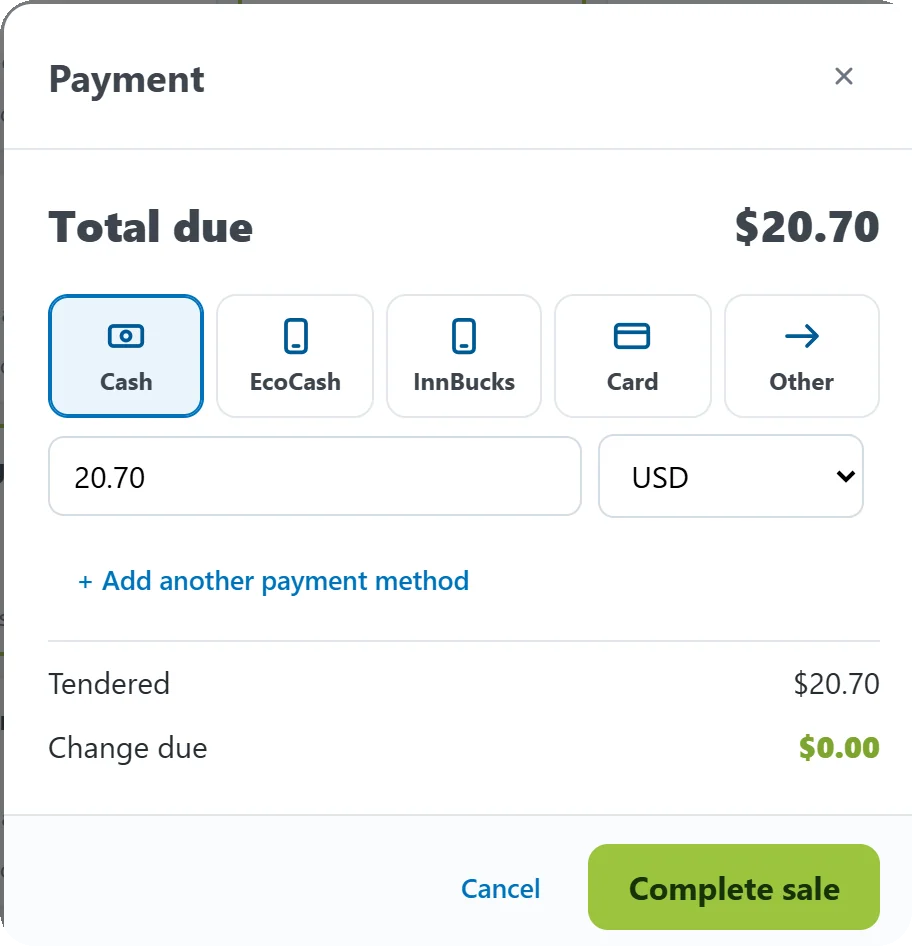
However the customer pays, on one sale
Cash, EcoCash, InnBucks, card or anything else, in either currency, split across as many methods as the customer likes. Cash works out the change.
Decima POS records each payment; it does not process it. Mobile money and card are taken on your own phone or card machine as usual and recorded here with their reference, so your books agree with your statements.
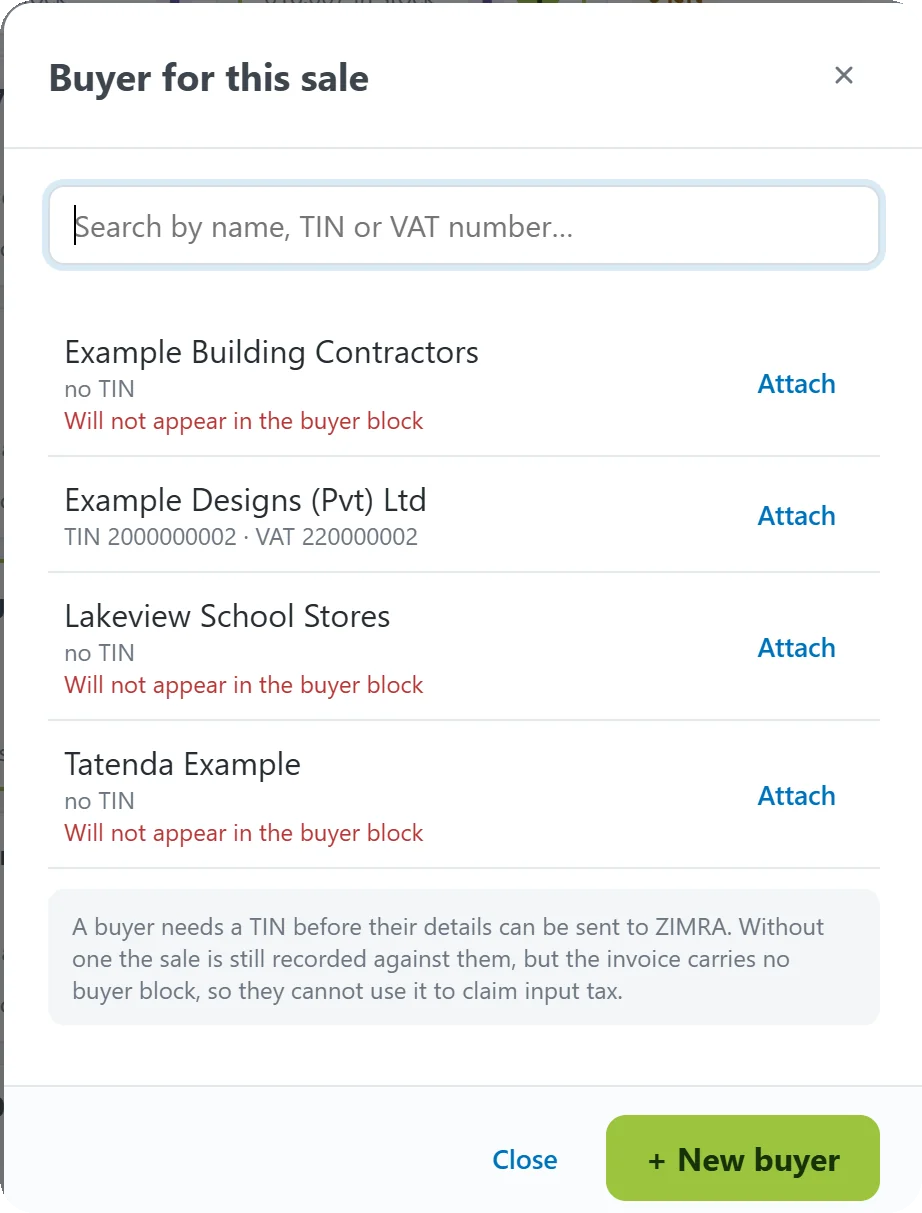
A buyer block your customer can claim from
Attach a business customer to the sale and their name, TIN and VAT number go on the fiscal tax invoice, so they can claim their input tax. Decima tells you when a customer's details are not enough for ZIMRA.
Corrections done properly
Voids, refunds and undercharges each have their own document and their own approval, so a mistake is corrected in the books and at ZIMRA, never just deleted.
The end of the day
An X-report checks the drawer whenever you like. The Z-report closes the shift, compares the cash counted with the cash expected and records any difference.
Estimates and projects
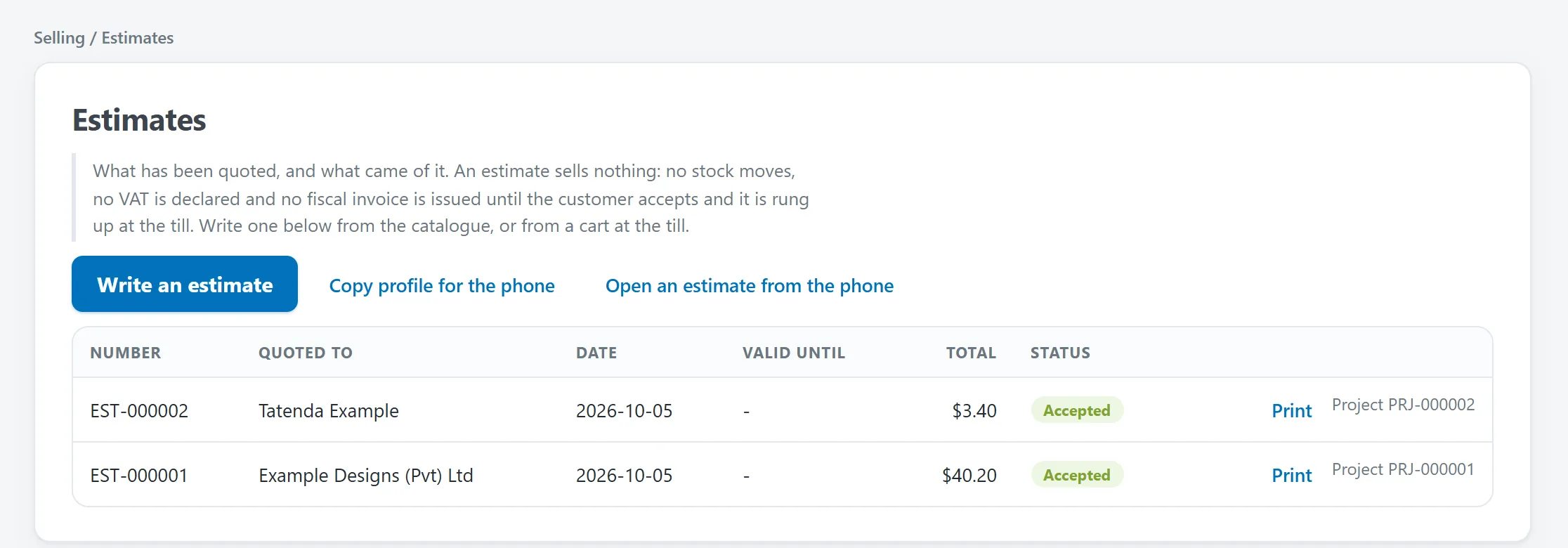
Quotations that move no stock until the customer accepts, and projects billed in stages with deposits on their own fiscal invoice.
Quote today, ring it up when they say yes
An estimate is held at the prices it was written at. When the customer accepts, choose it at the till and it fills the cart ready to charge.
Windows or Android
The same Decima POS on a Windows computer or an Android tablet, with a thermal receipt printer and a cash drawer that opens on a cash sale.
Till in a boxDesks on your network
A back-office computer in the same building works on the counter's books while the cashier sells.
About desksFree for one user
Selling, fiscal receipts, the fiscal day, X and Z reports and backup are free for a single user with no time limit.
See pricesSee it ring up a sale in your own shop
A demonstration rings up a real sale and opens the books it made. We come to you in Bulawayo or Harare, or set it up remotely.